Epinephrine VSH Menu
VSH Menu is a menu that can be accessed while on XMB/VSH. It contains the most common CFW configurations that users of Epinephrine change with more frequency and quick commands.
To access this menu, click the Select button while on XMB/VSH.
Epinephrine comes with two flavours of the VSH Menu: Modern and Classic.
The Modern is a re-implementation from scratch that uses GU on VSH, a recently developed way to GPU render graphics while on XMB/VSH. Yes, that means this implementation is GPU rendered. It also contais some quality-of-life improvements, like following the defined button to function as enter/back. Besides that, this new implementation also extends the functionality to provide a quick access to advanced game options; this were made to make testing configuration on game titles not working faster.
Initially this implementation was developed to demonstrate the usage of the VSH-GU.
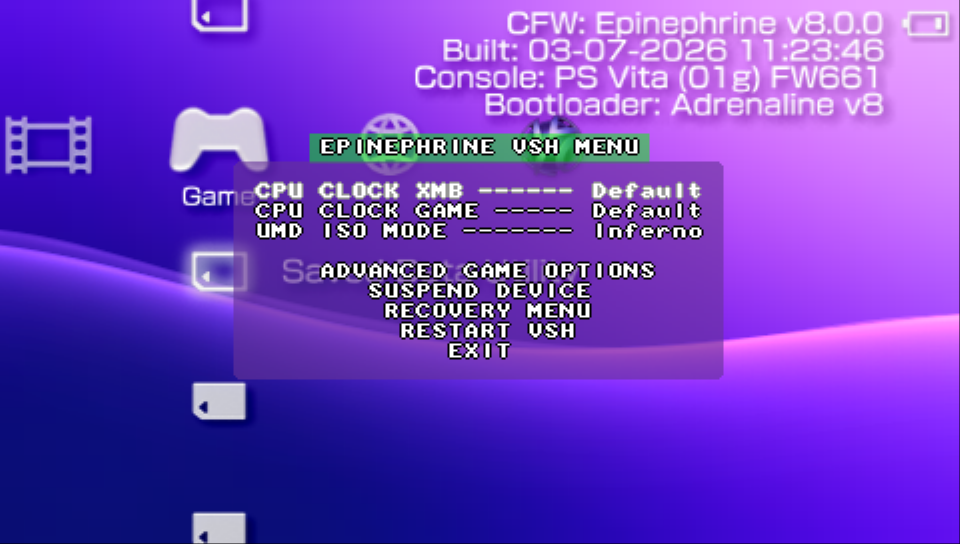
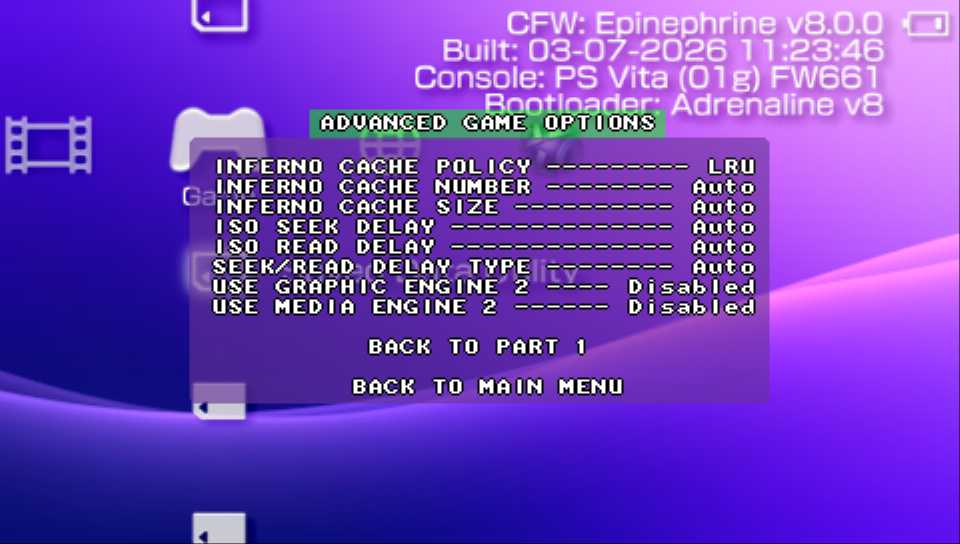
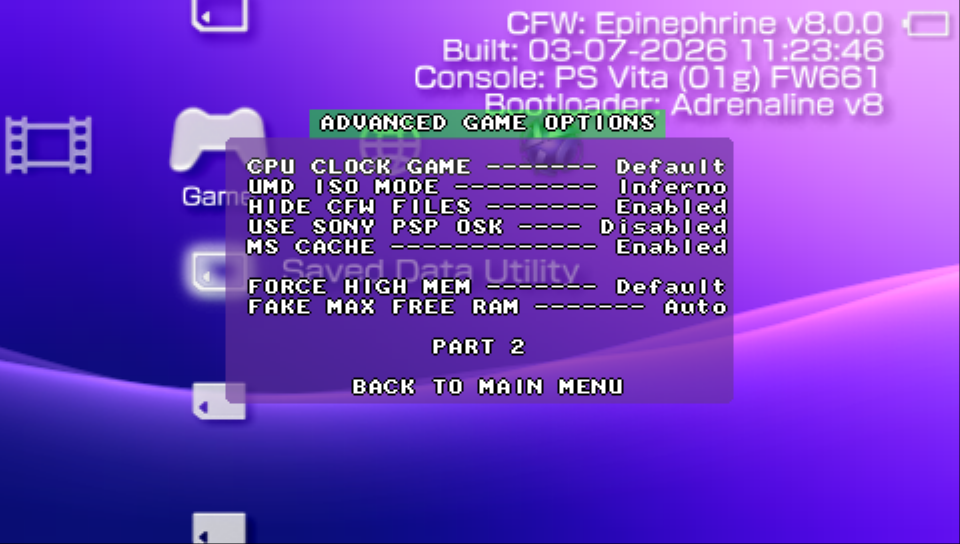
The Classic is more basic, but nostalgic-looking implementation. It has less features but good enough for day-to-day.
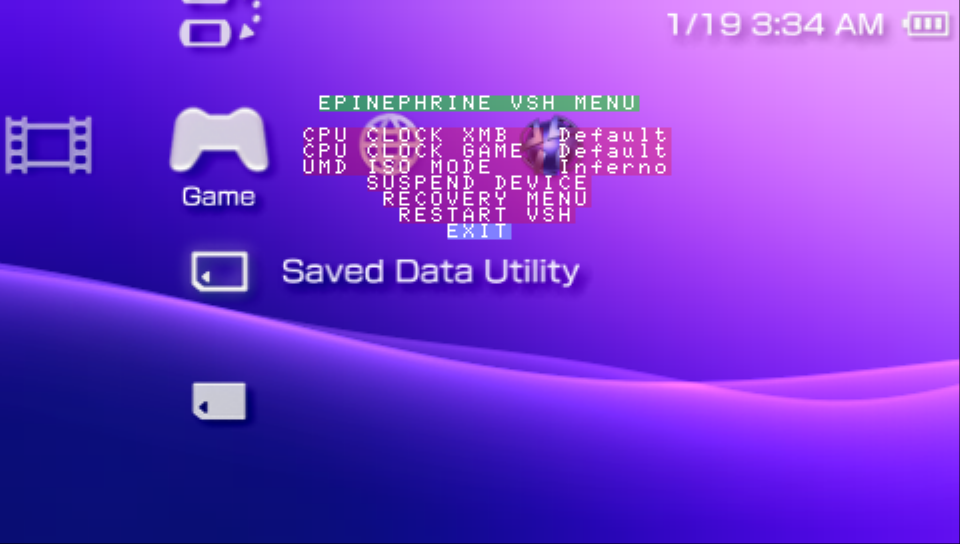
Available common features
- Modify the CPU/BUS speed for the XMB/VSH
- Modify the CPU/BUS speed for PSP Games
- Modify the ISO driver to use when launching ISO games
- Quick option to suspend the device
- Quick option to restart the system in the Recovery Menu
- Quick option to restart XMB/VSH
Modern-specific
- Considers the assigned enter button for the inputs
- Quick advanced game options to help test configuration for not-working titles